

Pinduoduo e-commerce data anti-content parameter reverse engineering practice
Actual website: https://mobile.pinduoduo.com/
Actual goals
Quick positioning generationanti-contentThe core JS module of the signature clarifies its environmental dependencies and outputs a set of runnable agent monitoring environment completion solutions, laying a solid foundation for signature replication or automated acquisition.
Overview
Pinduoduo’santi-contentIt is the “admission ticket” for the web/mini program data interface. It integrates multi-dimensional information such as ** timestamps, browser/device fingerprints, lightweight operation trajectory features, dynamic encryption salt**, etc., and will be regenerated with each request. Its core code is highly obfuscated, compressed and modularly encapsulated, and will detect whether it is running in a real browser environment. This article will take the mobile webpage as an example and take you step by step to dismantle its generation logic.
1. Web page debugging and packet capture analysis
1.1 Interface packet capture
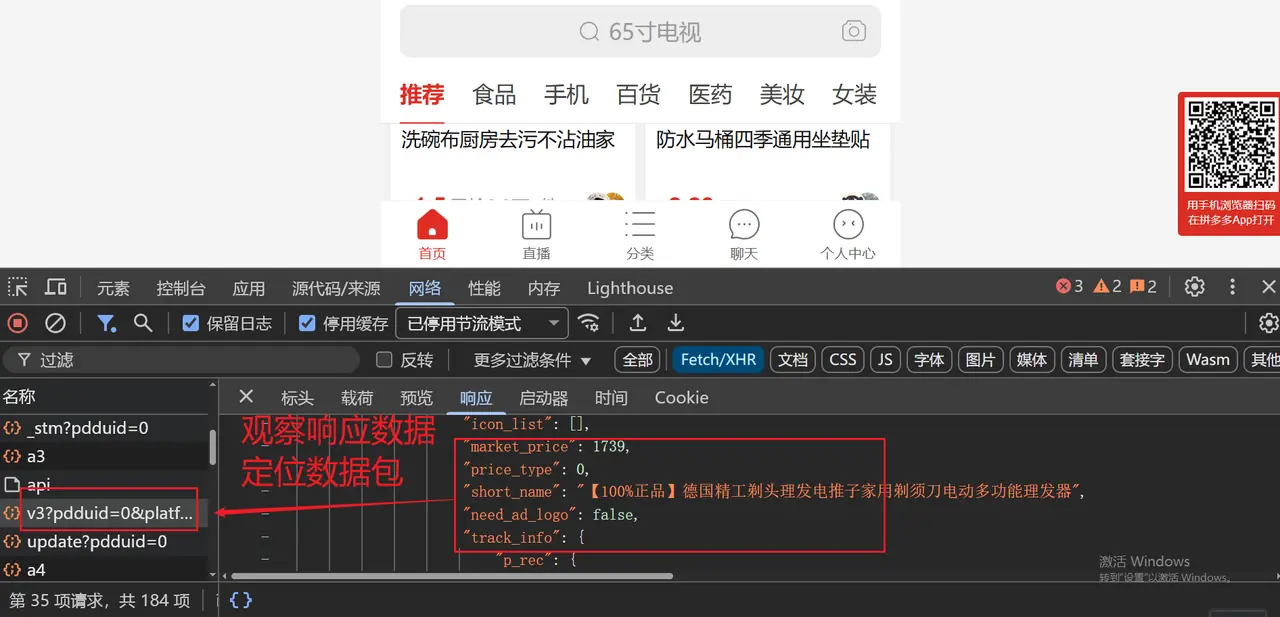
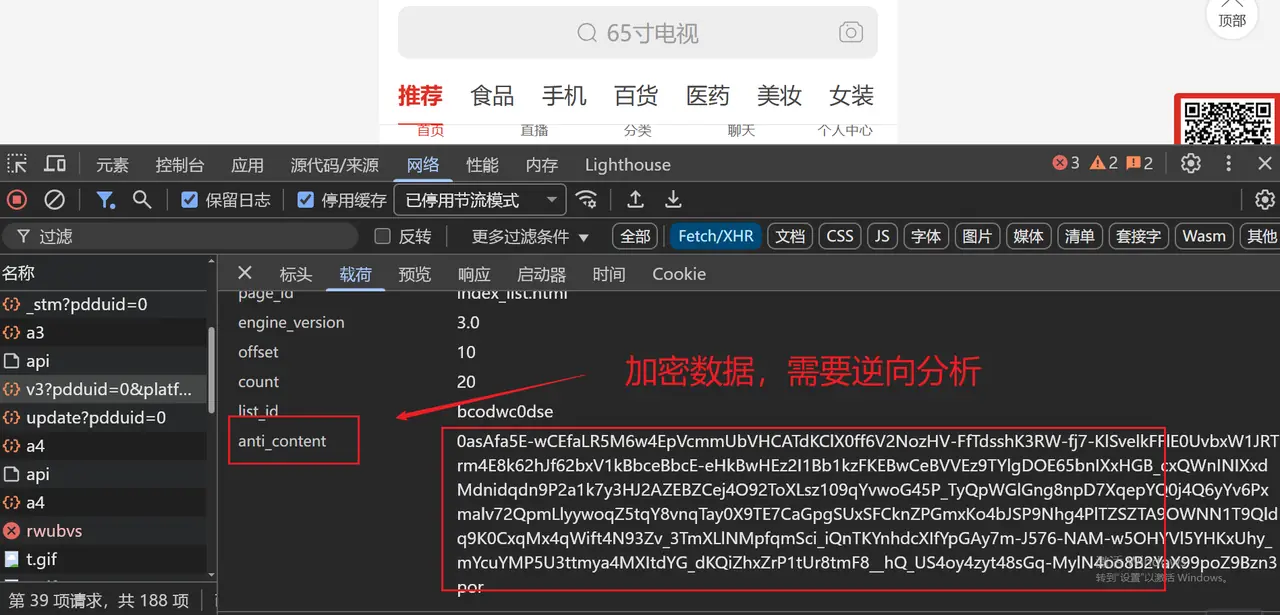
Open the Network panel of the Chrome developer tools, check Preserve log, refresh the page or click on the product category on the Pinduoduo homepage to find the product that carries the business dataXHR/Fetchrequest (e.g.goods_search、goods_detail). In the request parameters or Query, you can see anti_content field.
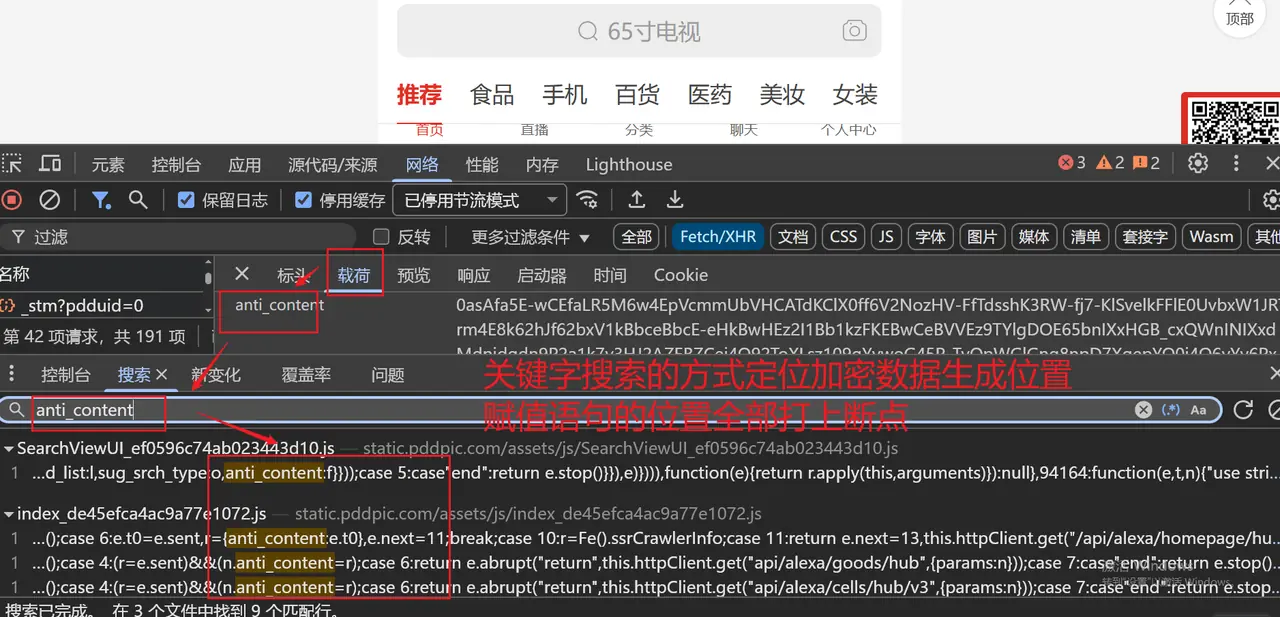
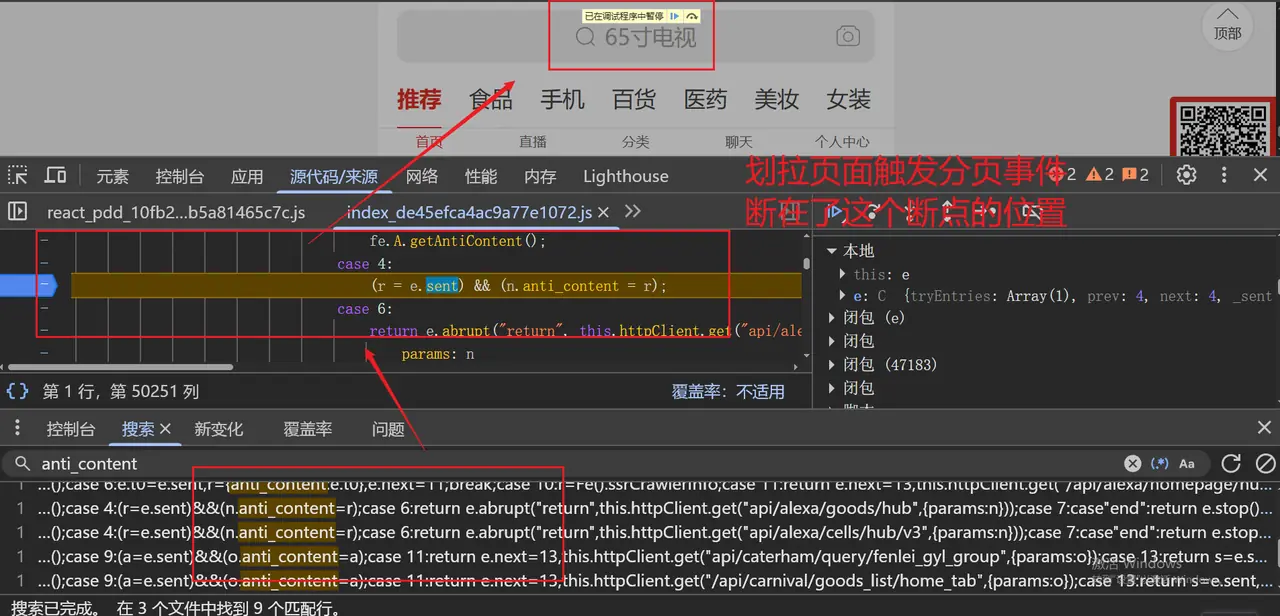
1.2 Key debugging screenshot collection
The following is a summary of the core breakpoints, call stacks and code snippet screenshots used in the entire reverse process. Click to enlarge the view.
Click to expand the screenshot
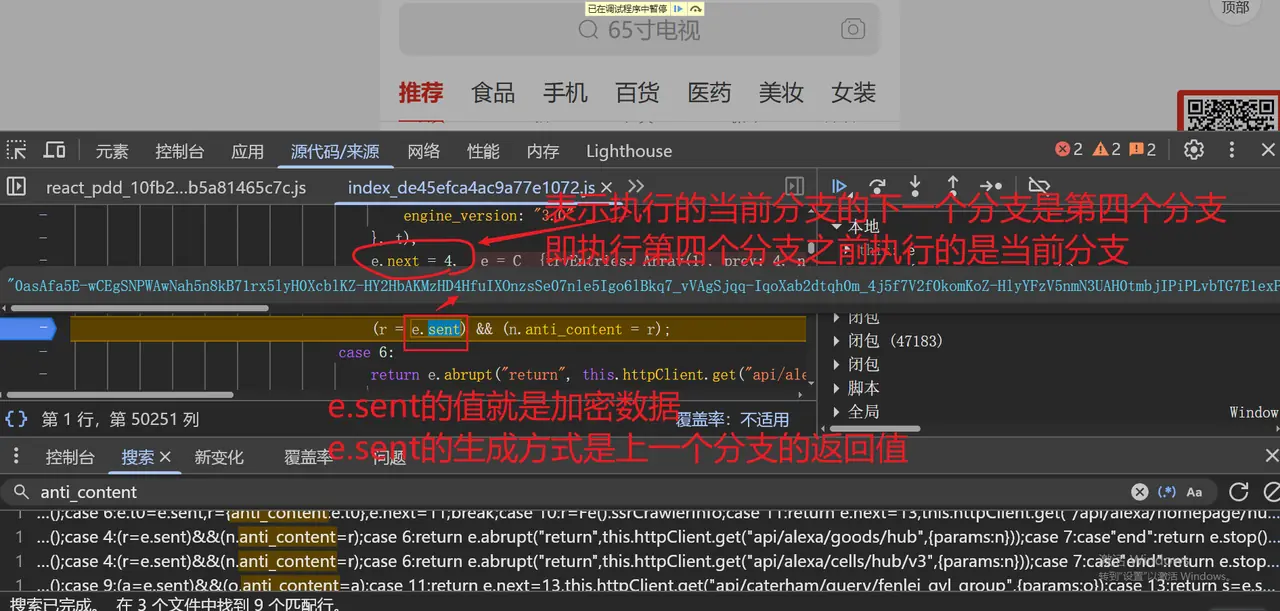
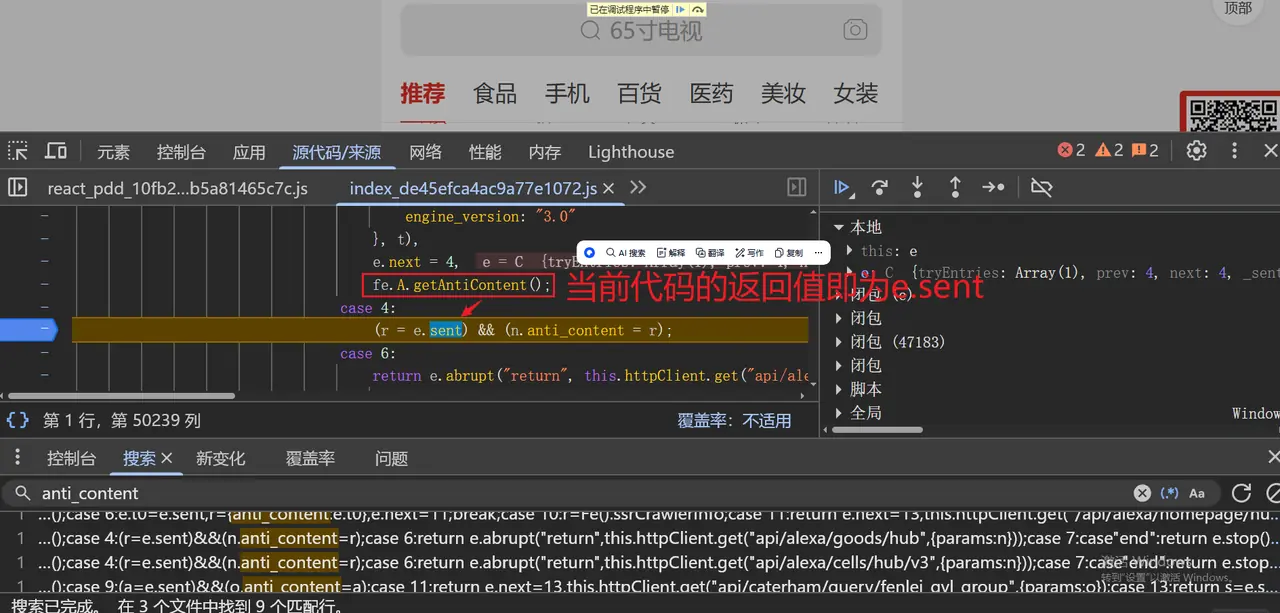
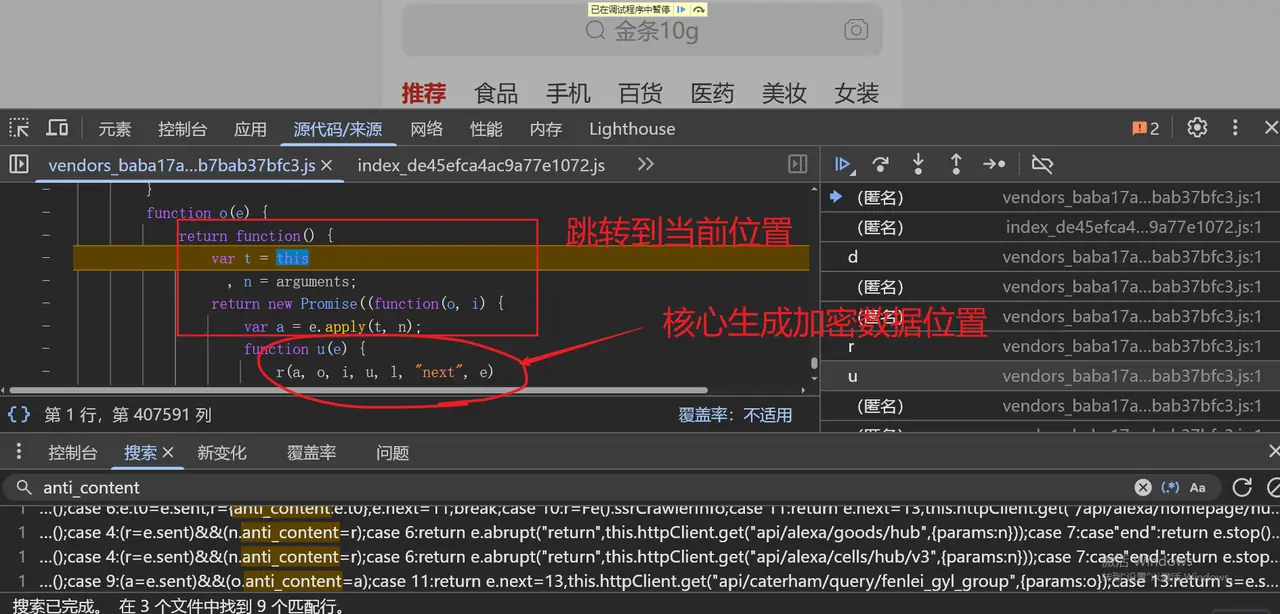
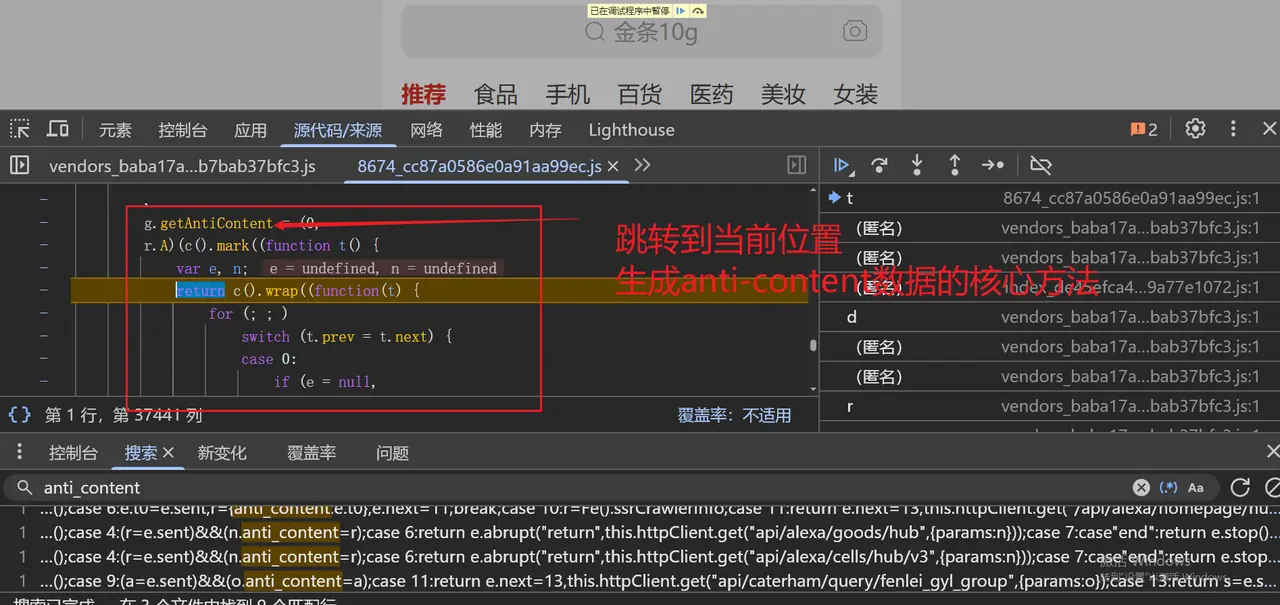
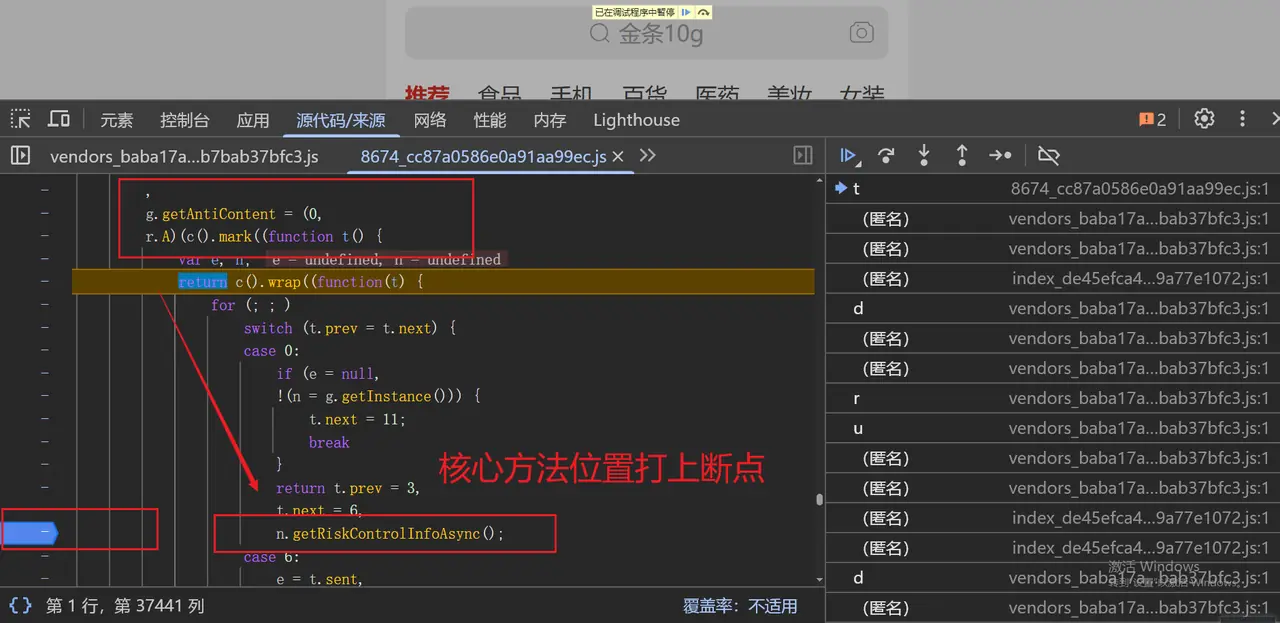
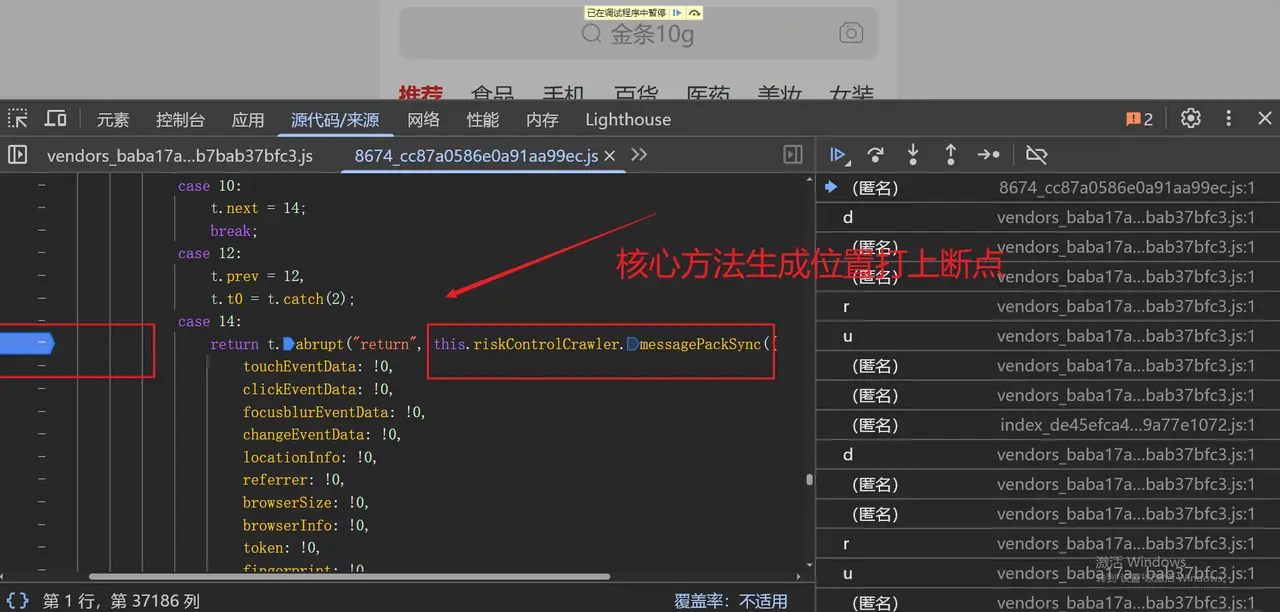

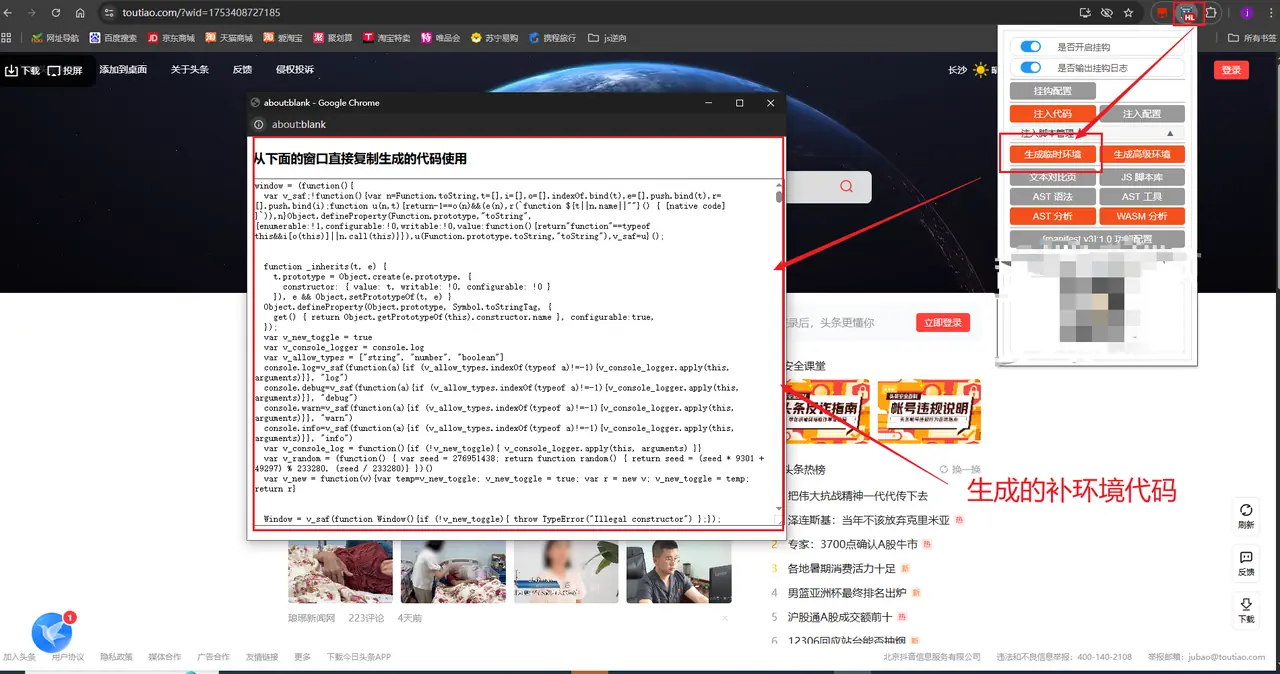
2. Core technical difficulties
This reversal mainly faces the following four major challenges:
-
Dynamic confusion and update The core JS code will regularly change obfuscation rules, and the reusability of static analysis is extremely limited.
-
Modular packaging All logic is packaged into Webpack-style self-executing functions. There are no directly exposed global methods. You need to break through the module loader first.
-
Browser fingerprint detection The script will detect
window.navigator、canvas、WebGLWith nearly a hundred environmental attributes, any exception may trigger interception. -
Encrypted link nesting
anti-contentThere may be a combination of Base64, SHA-1/SHA-256, custom compression and other algorithms internally, making it difficult to trace.
3. Environment completion and agent monitoring
In order to complete the browser environment while tracking the access/modification of all environment attributes, we designed a lightweight JS proxy monitoring solution: first complete the basic object, and then useProxyMonitor operations on global objects and DOM/BOM sensitive objects.
3.1 Basic environment completion (minimalist version)
The following code can be injected before the script is executed to avoid the first error:
3.2 General agent monitoring function
The following function can add a "monitoring layer" to any global object, in allget / setDetailed logs are output during operation to help us quickly find missing environment attributes.
3.3 Monitor sensitive object configuration
Pinduoduo focuses on detecting the following objects, and it is recommended to add them to the monitoring array first:
Tips: Inject the monitoring code first during runtime, and then load the business JS. The console will print all accessed and modified environment attributes. Based on these logs, "environment repair" can be completed in an orderly manner.
4. Code analysis and reverse thinking
4.1 Module loader disassembly
As can be seen from the screenshots, Pinduoduo uses a simplified version of the Webpack 5 self-executing module loader, with the following structure:
Key Point: The loader passeswindow.rrrExposed to the overall situation, this is the core entrance to the subsequent rapid positioning module.
4.2 Positioning the core anti-content generation module
Step 1: Global search entry
Enter in the global search box of the Developer Tools Sources panelanti_contentoranti-content, find the location where values are assigned to interface parameters.
Step 2: Call stack traceback
Break the point at the assignment, refresh the page to trigger the request, check the Call Stack panel, and find the position closest to the obfuscation module in the upper layer of the call chain. You'll usually see something like(new window.rrr(xxx))().messagePack()call.
Step 3: Test module validity
Enter in the consolewindow.rrr(找到的模块ID), if a constructor can be returned, then call the constructor andmessagePack(), and get legalanti-contentOr an encrypted string, it means you have found the right module.
5. Solving common problems
5.1 Module call error "x is not a function/undefined"
Cause: The core module depends on other obfuscated modules, and these dependencies are not loaded when running alone. Solution:
- In the console of the real browser, first run the complete loader code captured by the packet capture, and then call the core module;
- or via
__pdd_require__.mTraverse all modules and manually complete the dependency chain.
5.2 Environment detection interception request
Cause: The number, order, and value type/range of the completed environment attributes are inconsistent with the real browser. Solution:
- First run the proxy monitoring code we wrote to trigger a complete interface request in the real browser;
- Print all the
GETOperations are recorded; - Complete the attributes of the environment object one by one according to the records. Pay special attention to getter/setter logic for properties and randomness of values (e.g.
canvas.toDataURL()The base64 data generated is different each time).
6. Summary and Suggestions
This reversal took full advantage of the Pinduoduo module loader exposed to the global breakthrough, combined with XHR breakpoints + call stack traceback to quickly lock the core module, and used Proxy agent monitoring to completely track environmental dependencies. If you want to obtain it stably in the futureanti-contentSignature, it is recommended to continue in-depth from the following directions:
- Prioritize the use of automated browser tools (Playwright / Puppeteer) to inject patch code to reduce the complexity of environment simulation;
- If the algorithm must be reproduced offline, it must be dealt with carefully.
canvas、WebGLRandomness issues such as fingerprints; - Pay attention to the update frequency of core JS files, and regularly relocate module IDs and encryption logic;
- Use the agent monitoring solution provided in this article to continue to improve the environment attributes until environment detection errors are completely eliminated.
(Full text, about 2,700 words)